Account Support
How to delete your account and associated data
Follow these steps inside the BunnyCal mobile app to permanently delete your account and associated data.
- Log in to the BunnyCal app.
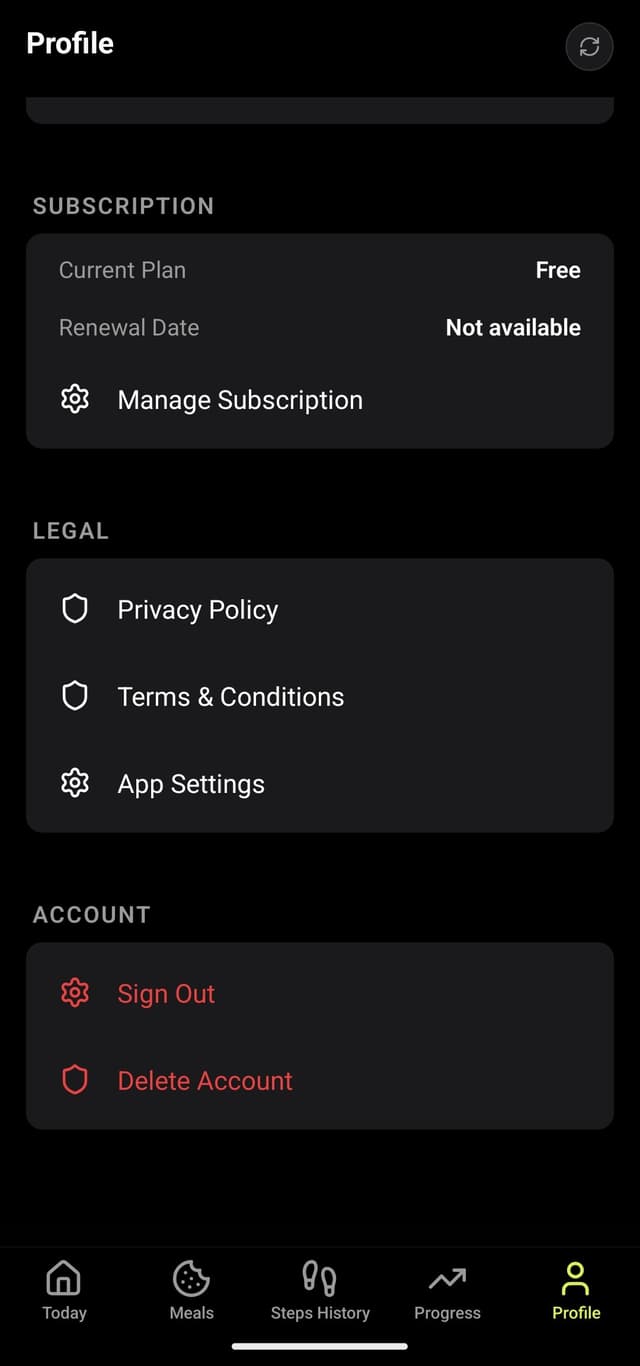
- Go to the Profile section.
- Scroll to the bottom. Below Sign out, you will see the Delete Account button.
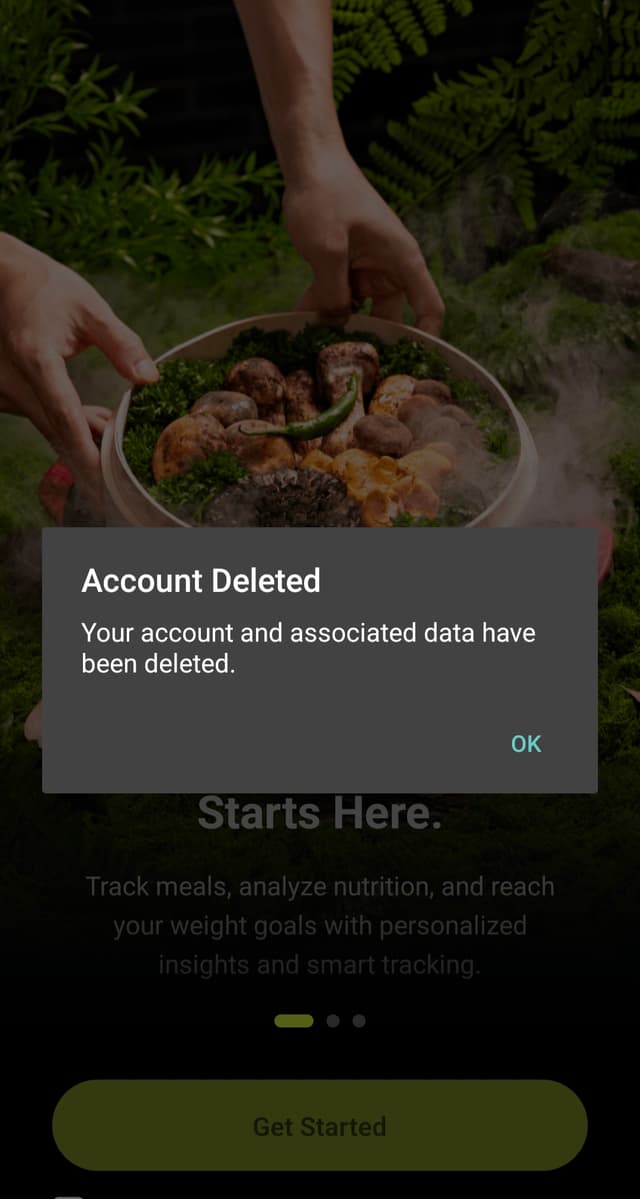
- Tap Delete Account. This deletes your account and associated data.
Important notes
- Deleting your account and associated data is an irreversible process.
- If you are not subscribed to a Pro plan, only your profile and onboarding data are stored with us.
- If you sign out without a subscription, you will lose your progress.
App screenshots
Mobile screenshots showing each deletion step.